
Advanced and platform filters
Create Token, creator fees, cashback, bridges, FOMO bridges, spam, launchpad filters, Meteora DLMM, DefiTuna and the EVM protocol filters.
The settings screen of a chain covers trades and transfers. Everything rarer sits one level down: token creation, fees, bridges, launchpads, liquidity management and DeFi protocols. Most of these switches are on by default; the tables say when one starts off.
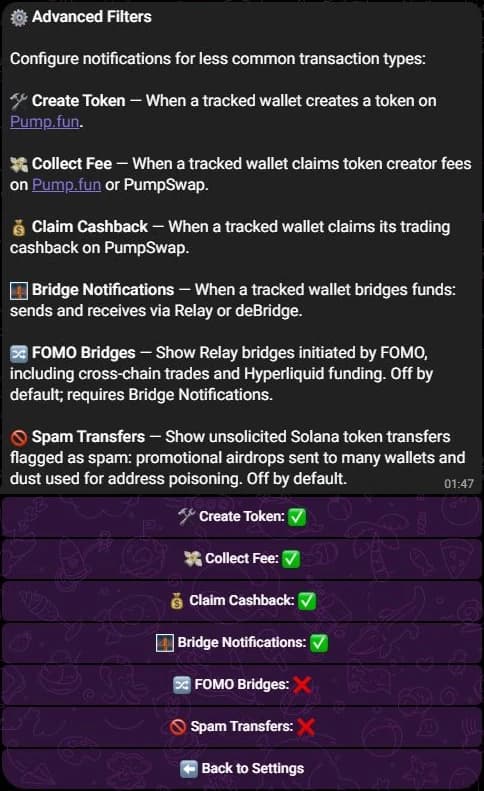
Advanced Filters
On Telegram, open ⚙️ Settings, then ⚙️ Advanced Filters. Discord and the Web Terminal show the same six switches under Advanced Filters.
| Button | Alerts on | Default |
|---|---|---|
| 🛠 Create Token | A tracked wallet creating a token on Pump.fun, with what it minted and the first swap. | On |
| 💸 Collect Fee | Claiming token creator fees on Pump.fun or PumpSwap. | On |
| 💰 Claim Cashback | Claiming trading cashback on PumpSwap. | On |
| 🌉 Bridge Notifications | Bridging out and in through Relay or deBridge, with the destination chain. | On |
| 🔀 FOMO Bridges | Relay bridges started by FOMO, including cross-chain trades and Hyperliquid funding. | Off |
| 🚫 Spam Transfers | Unsolicited Solana token transfers flagged as spam: promotional airdrops and the dust of an address-poisoning attempt. | Off |
🔀 FOMO Bridges sits under 🌉 Bridge Notifications. While bridges are off, the FOMO row stays grey with a ⚫ marker and cannot be switched.
Platform filters
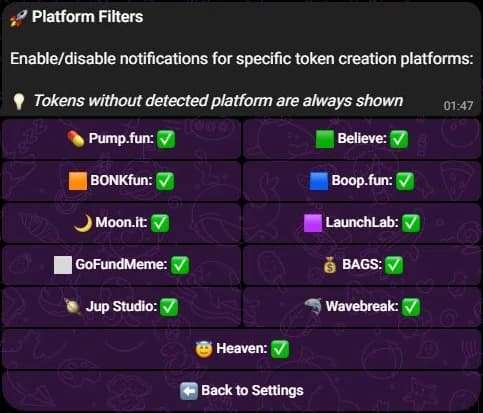
🚀 Platform Filters picks the launchpads whose tokens may alert you. All of these start on:
- 💊 Pump.fun
- 🟩 Believe
- 🟧 BONKfun
- 🟦 Boop.fun
- 🌙 Moon.it
- 🟪 LaunchLab
- ⬜ GoFundMeme
- 💰 BAGS
- 🪐 Jup Studio
- 🦈 Wavebreak
- 😇 Heaven
A token whose launchpad SpyBot cannot identify is always shown, so the filters narrow the noise without hiding the rest.
Liquidity management
💧 DLMM has a master switch for Meteora DLMM, on by default, then six sub-actions: add liquidity, remove liquidity, rebalance liquidity, claim fee, place limit order and cancel limit order. A sub-action shows ⚫ while the master switch is off, and its choice is kept for when you turn DLMM back on.
🐟 DefiTuna follows the same shape, on by default: open LP position, close LP position, set limit orders and collect fees.
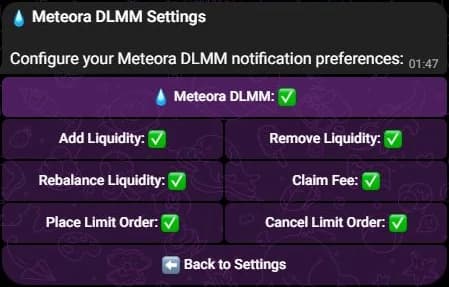
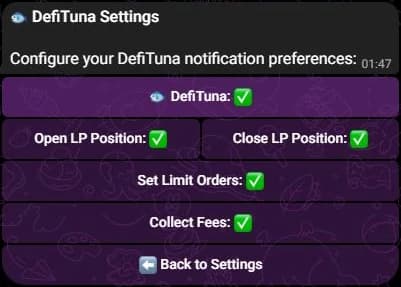
A Meteora BUY, SELL or SWAP is a trade, so it follows the trade filters of the chain. The DLMM screen governs liquidity and limit-order actions only.
On Discord, DLMM and DefiTuna share one 💧 DLMM / 🐟 DefiTuna button. In the Web Terminal, Advanced Trading holds Jupiter Perps, Jupiter DCA, Meteora DLMM and DefiTuna, each opening its own panel.
On the EVM chains
The chain screen adds these switches:
| Switch | Covers | Default |
|---|---|---|
| Approvals | ERC-20 allowances, with the spender and the amount. | Off |
| DeFi | The master switch for liquidity, lending, staking and bridges. | On |
| Liquidity | Adding and removing liquidity. | On |
| Lending | Supply, withdraw, borrow and repay. | On |
| Staking | Stake and unstake. | On |
| Bridges | Cross-chain moves. | On |
| Spam transfers | Shows ERC-20 transfers that look like spam, such as an airdrop of a brand new token with thin liquidity. While off, they stay hidden. | Off |
| Spam Filter | Hides any alert SpyBot flags as risky, whatever its type. It runs after the other switches. | On |
Because Spam Filter runs last, a transfer that Spam transfers lets through can still be hidden when it carries a risk flag. To see every spam transfer, turn Spam transfers on and Spam Filter off.
Liquidity, Lending, Staking and Bridges only apply while DeFi is on. See EVM filters and protocol groups for each chain.
🚀 Protocol Filters groups the decoders of the chain. Press a group to switch all of its protocols at once. Uniswap, 1inch, 0x, CoW Swap, Balancer, Curve, SushiSwap, Aave, Compound, Lido and Across apply to Ethereum, Base, Robinhood Chain, BNB Chain and Polygon. Base adds Aerodrome; BNB Chain adds PancakeSwap, Four.meme and Flap; Polygon adds QuickSwap, KyberSwap and ParaSwap. Polymarket has its own 🎯 Polymarket screen, see Polymarket traders.
Display of an EVM alert
On an EVM chain, 🔔 Customize Notifications holds its own switches: 📝 Description, 🪙 Token details, 📊 Token holdings, 🔗 Links, 📋 Token Address, 🖼️ Token Images, 📈 Market Data and ⛽ Gas Details. The first seven are on; gas details are off.
Related
- Notification filters: the trade and transfer switches.
- Multi-Wallet Tracker: its own market cap and purchase filters.
- Chains.
Last verified on October 28, 2026
Notification filters
Choose the transactions that alert you: types, minimum amounts, market cap range, token age, first buys and sells, transfers, chain by chain.
Buy buttons and trading-bot links
Trade a Solana token from the alert, or open it in Axiom, BullX, Photon, GMGN, Terminal, Bloom and the other bots SpyBot supports.