
Quickstart: Discord
Add SpyBot to your Discord server, create your free account and receive wallet alerts in a private channel that only you can see.
On Discord, SpyBot works with buttons and slash commands. Your alerts arrive in a private channel on a server you own, so nobody else sees the wallets you follow.
Before you start
You need a Discord server that you own, because SpyBot creates your private alerts channel there. No server yet? In Discord, press + at the bottom of your server list, then Create My Own. It is free and takes a minute.
Add SpyBot to your server
Open the Add to Discord link, choose your server and press Authorize. SpyBot asks for five permissions:
| Permission | What SpyBot does with it |
|---|---|
| View Channels | Sees the channel you set for your alerts. |
| Send Messages | Posts your alerts. |
| Embed Links | Shows alerts with token details and links. |
| Attach Files | Adds token images to alerts. |
| Manage Channels | Creates your private alerts channel in one click. |
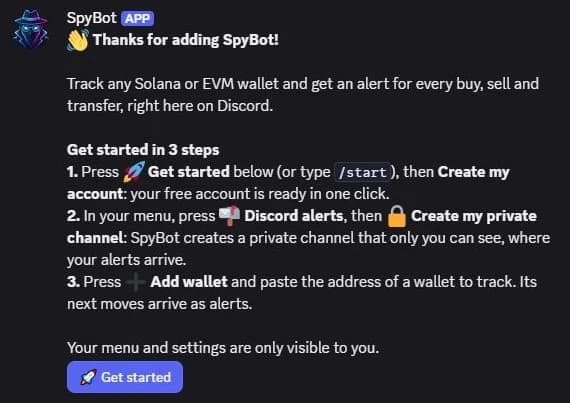
SpyBot then posts a welcome message with the next three steps:
Create your account
Press 🚀 Get started under the welcome message, or type /start, then press Create my account. Your free account is ready in one click, with no email or password.
Your menu opens. Menus and settings are only visible to you, even in a shared channel.
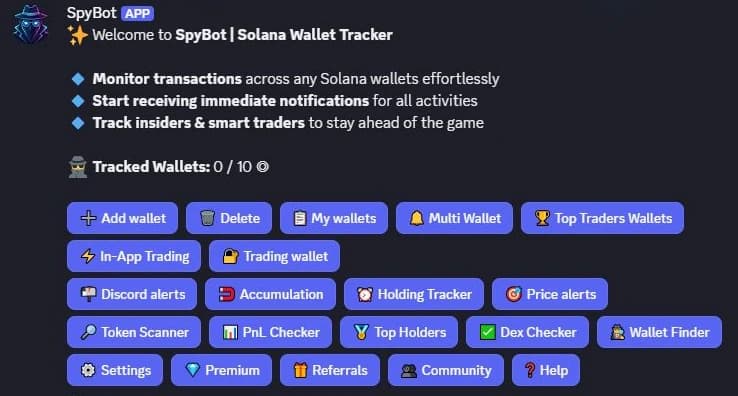
- 1Your counter: wallets tracked out of your plan's limit.
- 2➕ Add wallet adds wallets to track.
- 3📬 Discord alerts sets where your alerts arrive.
Already on Telegram?
Choose Link Telegram instead of Create my account to keep your wallets, Premium and settings. A Discord account links to a single SpyBot account for good, so pick the right option.
Create your private alerts channel
Press 📬 Discord alerts, then 🔒 Create my private channel.
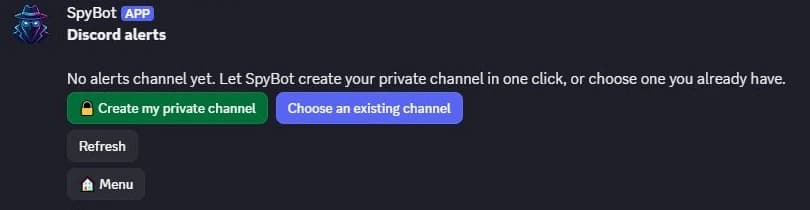
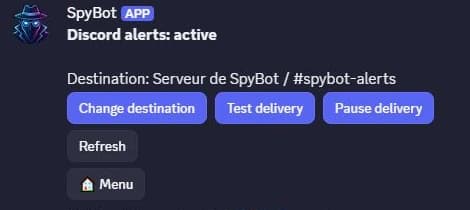
SpyBot creates #spybot-alerts, a channel that only you and SpyBot can see. Press Test delivery, then Confirm, to check that alerts reach it.

Prefer one of your channels?
Press Choose an existing channel. It must be a private text channel on a server you own, hidden from @everyone, with only you and SpyBot added as members. SpyBot needs to view the channel, send messages and embed links in it.
Add your first wallet
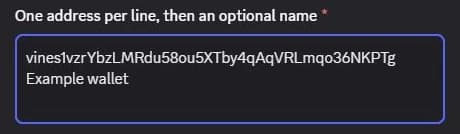
Press 🏠 Menu, then ➕ Add wallet, then Enter wallet addresses. Paste one address per line, with an optional name after each, and submit the form.
SpyBot confirms and lists the wallet with its status:
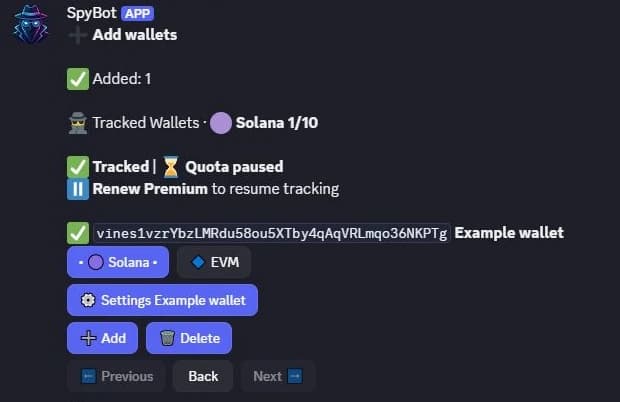
Its next moves arrive in #spybot-alerts.
Next steps
- Add more wallets, on their own or 50 at a time.
- Choose which moves reach you in ⚙️ Settings.
- Open the Web Terminal with
/account login.
Last verified on October 24, 2026