
Positions and PnL calendar
Follow the tokens your SpyBot wallet holds, with unrealized PnL per position and a monthly calendar of realized PnL.
Positions lists what your SpyBot wallet holds right now, with its value and its profit or loss at current prices. PnL Calendar sums up what you realized, day by day, over a month. Both read confirmed in-app trades and on-chain balances, and both cover Solana only.
The Web Terminal lists the same holdings under Holdings on the Trading page, with their dollar value; the PnL figures and the calendar are on Telegram and Discord.
My Positions
- Open ⚡ In-App Trading and press 💼 My Positions.
- The header gives Value, Cost and PnL for the tokens it can value.
- Each line shows the symbol, its price, its value, the market cap you paid next to the current one, and its PnL.
- Press 💵 USD to switch the amounts to dollars, or 💵 SOL to come back.
- Press 💰 Sell to pick a position and open its sell screen.
Five positions fit on a page, biggest winners first. A token the wallet no longer holds is not listed.
- Open
/tradeand press 💼 My Positions. - The header gives Value, Cost and PnL, then one block per position with its value and its PnL in SOL or dollars.
- Press 💵 USD or 💵 SOL to switch, Previous and Next to page.
- Press SELL on a position to open the Trade screen for that token.
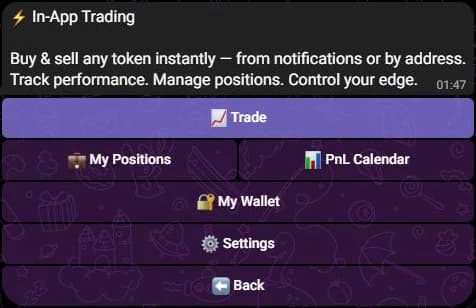
On Telegram, My Positions and PnL Calendar open from In-App Trading.
PnL Calendar
- Open 📊 PnL Calendar.
- Read Realized, the profit or loss of the month, then the daily lines, one per day of the month.
- Press Week 1, Week 2 and the next ones to open a week in detail. Previous and Next move between months.
- For the current month, the calendar also shows Unrealized, the PnL of the positions still open. Every month also shows Best day and the Profit streak, the longest run of consecutive positive days.
Realized amounts are native to each unit: SOL legs for a SOL view, the dollar price at execution for a USD view.
What each figure means
| Figure | Meaning |
|---|---|
| Value | The tokens held, at current prices |
| Cost | What those tokens cost, from your confirmed in-app trades |
| PnL, per position | Value minus cost, with the percentage |
| Unrealized PnL | The PnL of positions still open, at current prices |
| Realized PnL | The result of sells you made in SpyBot, valued when they executed |
Totals only cover the positions whose price and cost are both known. When some are missing, the screen says how many, and a dash means the price or the cost is unavailable.
Costs come from the trades SpyBot recorded for the wallet. A token bought before you started trading in SpyBot, or received as a transfer, has no cost basis: it shows as a position with an unknown cost and stays out of the realized totals.
When balances cannot be read
If the chain does not answer, both screens say so instead of showing an empty portfolio. A wallet shown as unverifiable is not an empty wallet. Press the refresh button in a moment.
Related
Last verified on October 24, 2026
Trading settings
Set your presets and slippage for all three apps, then choose which trading buttons appear under your alerts on each one.
Order statuses and errors
What processing, sent, confirmed, failed, not landed and uncertain mean on each app, when to wait, and why an uncertain order must never be resent.