
Communities page
Run a Discord server workspace from the Web Terminal: the channel, delivery, shared wallets, community trackers, the plan and the recent activity.
The Communities page configures a Discord server workspace from the browser: the destination channel, the shared wallets, the community trackers, the plan and the recent activity. It lists the workspaces you own or manage, and the servers that are still waiting to be set up.
Open app.spybot-tracker.com, sign in, then choose Communities. The link Personal feed goes back to your own alerts. Community activity never appears in that personal feed.
The page refreshes the workspace you opened every 20 seconds while its tab is in front. Refresh reads it immediately.
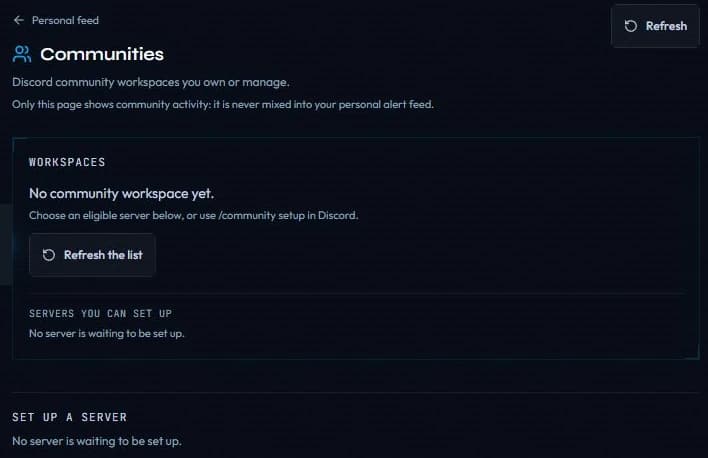
Before your first workspace the page says so and points to /community setup in Discord.
The list
Workspaces holds one row per server, with its name, its state, its channel and your role. The state reads Active, Paused, Plan expired or Owner unavailable. A row marked Waiting on you is a transfer to accept or a workspace to recover.
Servers you can set up lists the servers SpyBot offers for setup, where you are owner and no workspace exists yet. When a server is not offered, create its workspace from Discord with /community setup: it then appears in Workspaces.
Set up a server
Choose the server
Press Set up next to the server.
Choose the alert channel
Pick the channel under Alert channel. Only channels where SpyBot can post are offered. When that list cannot be read, the page accepts the channel id instead.
Create the workspace
Press Create the workspace. The server then appears in Workspaces, paused, and the page walks you to the next step: choose the channel, send a test, then enable alerts.
The sections of a workspace
| Section | What it does |
|---|---|
| Destination channel | Picks the channel, then Save channel. A change pauses delivery and asks for a new test. |
| Delivery | Send a test, the Tested mark, Enable alerts and Pause delivery. |
| Plan | The plan of the server, the wallet that pays and the payments already made. |
| Community wallets | Add wallet and Import from my wallets, with pause, resume and remove on each wallet. |
| Delivery window | What happens to an alert that waits too long. |
| Alert filters | Event types, Minimum amount (USD), Alert language, then Save filters. |
| Community trackers | Creates, edits, pauses and removes the trackers of the server. |
| Responsibility | Transfers the workspace, accepts a transfer or recovers it. |
| Recent community activity | The 30 last events, with their delivery state. |
Delivery
Send a test posts a synthetic message in the channel and leaves delivery paused. The Tested mark appears when the test succeeded on the current channel.
Enable alerts stays grey until the channel is tested and the I understand community alerts will be published in this channel box is ticked. It also needs an active plan, plus at least one wallet; a price alert of its own is enough.
The owner picks the channel, sends the test and enables delivery. A manager reads the same section with a sentence saying so, and keeps the wallets, the filters and the trackers.
Community wallets
Add wallet takes a chain, an address and an optional label. Import from my wallets copies one wallet from your personal list; the copy is never kept in sync.
On an active workspace, adding a wallet starts alerting for it and asks you to confirm. Removing a wallet pauses the trackers that used it.
The plan caps the number of wallets: the workspace header states the limit and the number already tracked.
Community trackers
A tracker watches the wallets of this community and publishes in its channel. Every kind starts Paused, and Create tracker saves it that way; Resume starts it, and asks for confirmation because resuming restarts its observation window.
| Type | Chains | Settings |
|---|---|---|
| Multi Wallet Tracker | Five chains | Minimum wallets, Window (minutes), Minimum amount (USD) |
| Accumulation | Solana | Minimum wallets, Minimum buys, Minimum retained (%), Window (minutes), Minimum amount (USD) |
| Holding | Solana | Holding time (minutes), Minimum remaining (%) |
| Price alert | Solana | Token address, Target market cap (USD), Direction, Repeat |
Only wallets this community tracks on the selected chain can be ticked, and a paused wallet stays selectable without counting. The alert filters of the page cover the ordinary wallet feed; each tracker answers to its own thresholds.
A holding scan covers up to 80 qualifying positions across the selected wallets.
The plan
The Plan section belongs to the owner. It states the plan the server holds, its limits and its end date, the SpyBot wallet that pays, and the payments made with their transaction.
Monthly and Yearly set the period, then Buy starts the plan, Extend adds to its current end date, and Replace swaps the current plan or the free grant. The confirmation window states the plan, the period, the total, the balance needed with the 0.01 SOL reserve, the wallet, the treasury and the dates. Pay sends the transfer; verification can take about 90 seconds.
Discord community plans has the prices and the limits.
Activity and delivery window
Recent community activity lists the 30 last events, newest first, with Delivered, Queued, Not sent or Unknown, the token, the wallet and the tracker it came from.
- An alert still waiting after 10 minutes expires without being sent.
- Delivery records are kept for 7 days, so an expired alert can still be explained.
- A refused quota is not retried later, and an alert counts from the moment it is accepted.
What stays on Discord
The same workspace answers to /community and /community-tracker in the server, for the owner and the managers. Community alerts for your server covers those commands.
Related
Last verified on October 24, 2026