
Quickstart: Web Terminal
Sign in to the SpyBot Web Terminal with Telegram or Discord, add a wallet and follow every alert in a live feed.
The Web Terminal at app.spybot-tracker.com shows your alerts in a live feed, keeps their history and lets you manage wallets and settings on a big screen.
Sign in
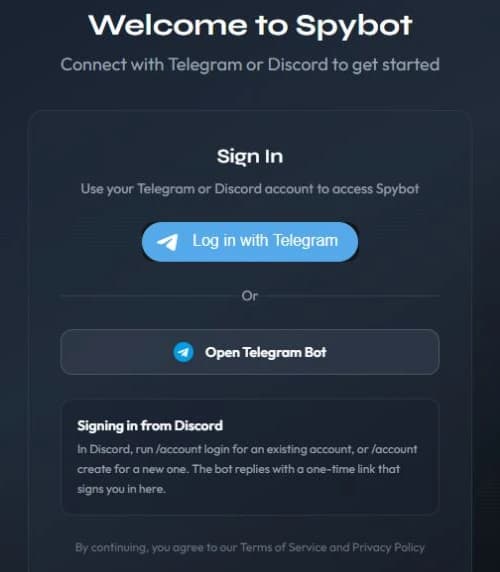
Open app.spybot-tracker.com and sign in with the account you use with SpyBot.
- Telegram: press Log in with Telegram, or Open Telegram Bot and confirm in the bot. You can also send
/webto the bot to get a personal login link. - Discord: type
/account loginin Discord, or/account createif you are new. SpyBot replies with a private link that works once and expires after 90 seconds.
Add a wallet
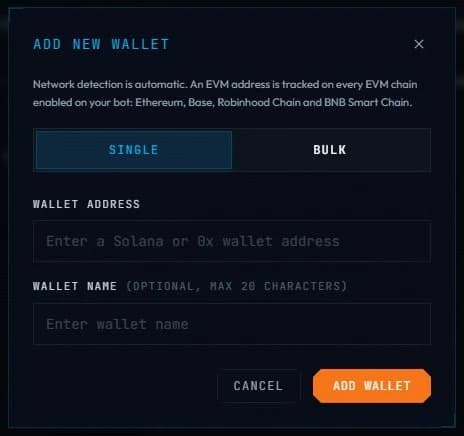
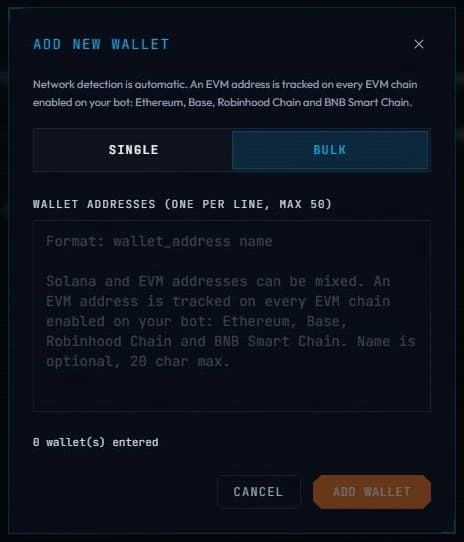
Open Wallets and press + Add wallet. Single takes one address and an optional name of up to 20 characters, or a Polymarket profile link to follow that trader on Polygon. Bulk takes up to 50 addresses, one per line, and accepts Solana and EVM addresses together.
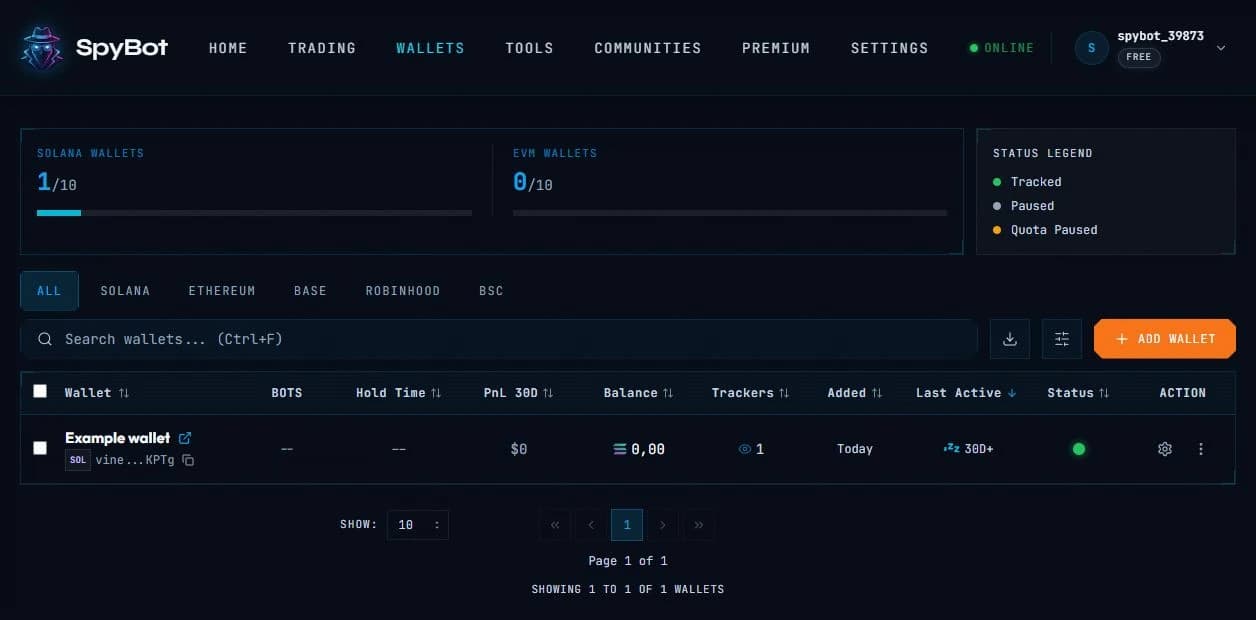
The wallet appears in your list with its status:
Follow the live feed
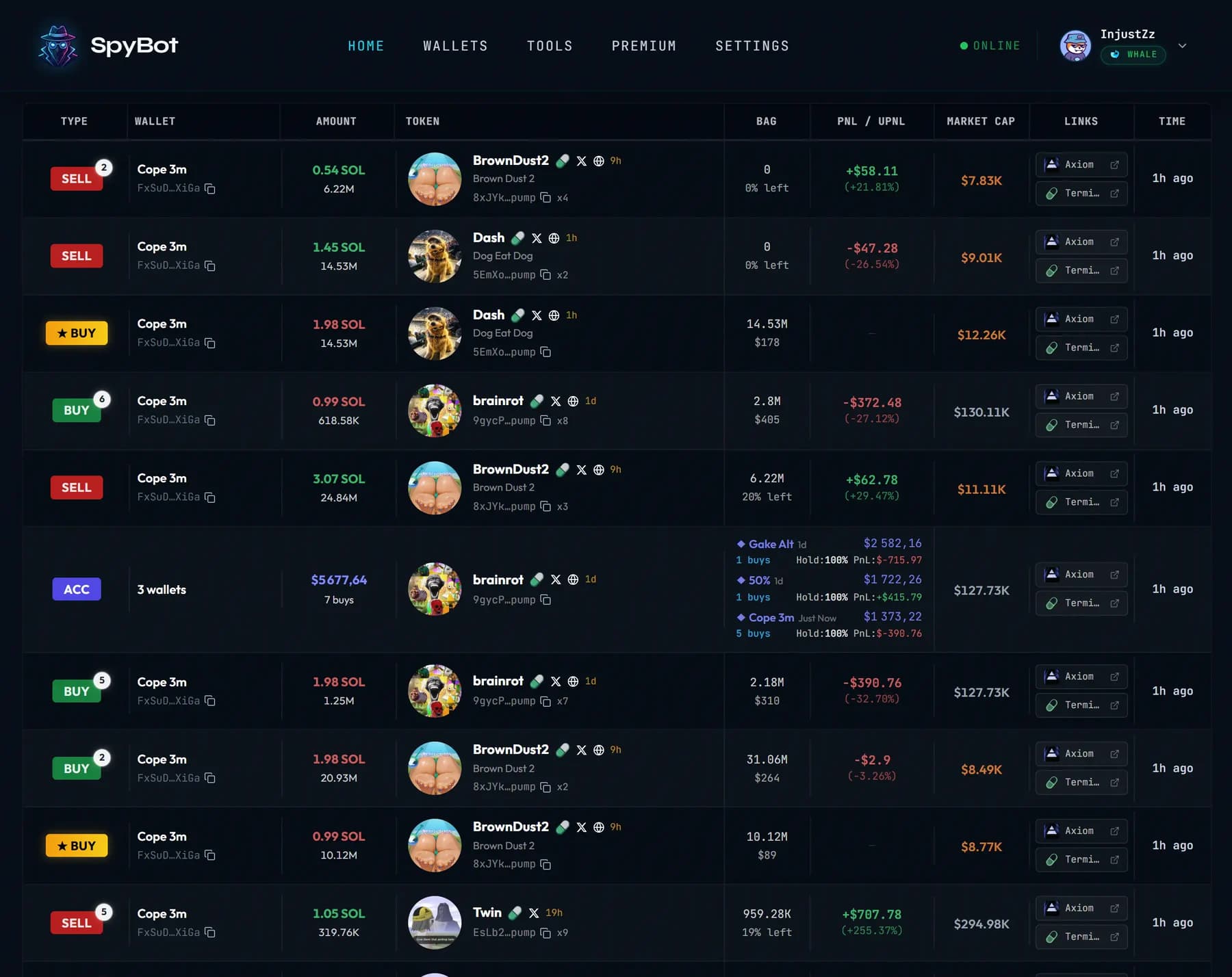
Home shows each alert as it arrives: the type, the wallet, the amount, the token, its PnL and market cap, and quick links. Click a row to open its details.
Keep the tab open
The Web Terminal does not send push notifications. While the tab is open, it can play a sound for each alert: use the speaker button at the bottom of the page. To be alerted on your phone, use Telegram or Discord as well.
Next steps
- Add more wallets, on their own or 50 at a time.
- Filter your alerts in Settings.
Last verified on October 28, 2026
Quickstart: Discord
Add SpyBot to your Discord server, create your free account and receive wallet alerts in a private channel that only you can see.
Telegram, Discord or Web Terminal?
Compare setup, alerts, phone notifications, trading, tools, history and sound across the three SpyBot apps, then choose where to work.